On-Screen Marking Software for Digital Answer Sheet Evaluation
Digitise answer sheet scanning, online evaluation, re-evaluation and result processing on one secure platform — a complete digital evaluation system built for accuracy, speed and transparency.
Available on
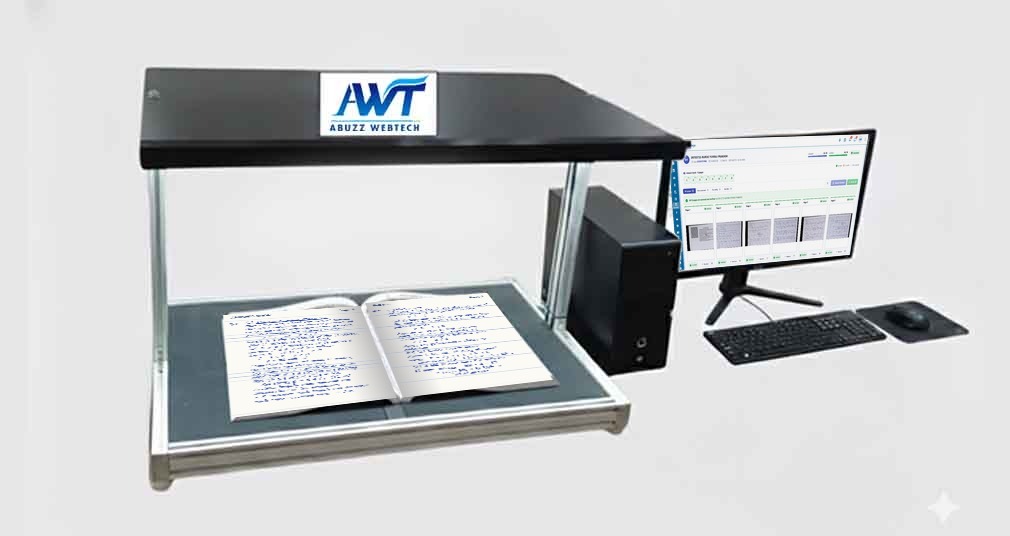
- WebAWT Hub
- DesktopOSM scanning station
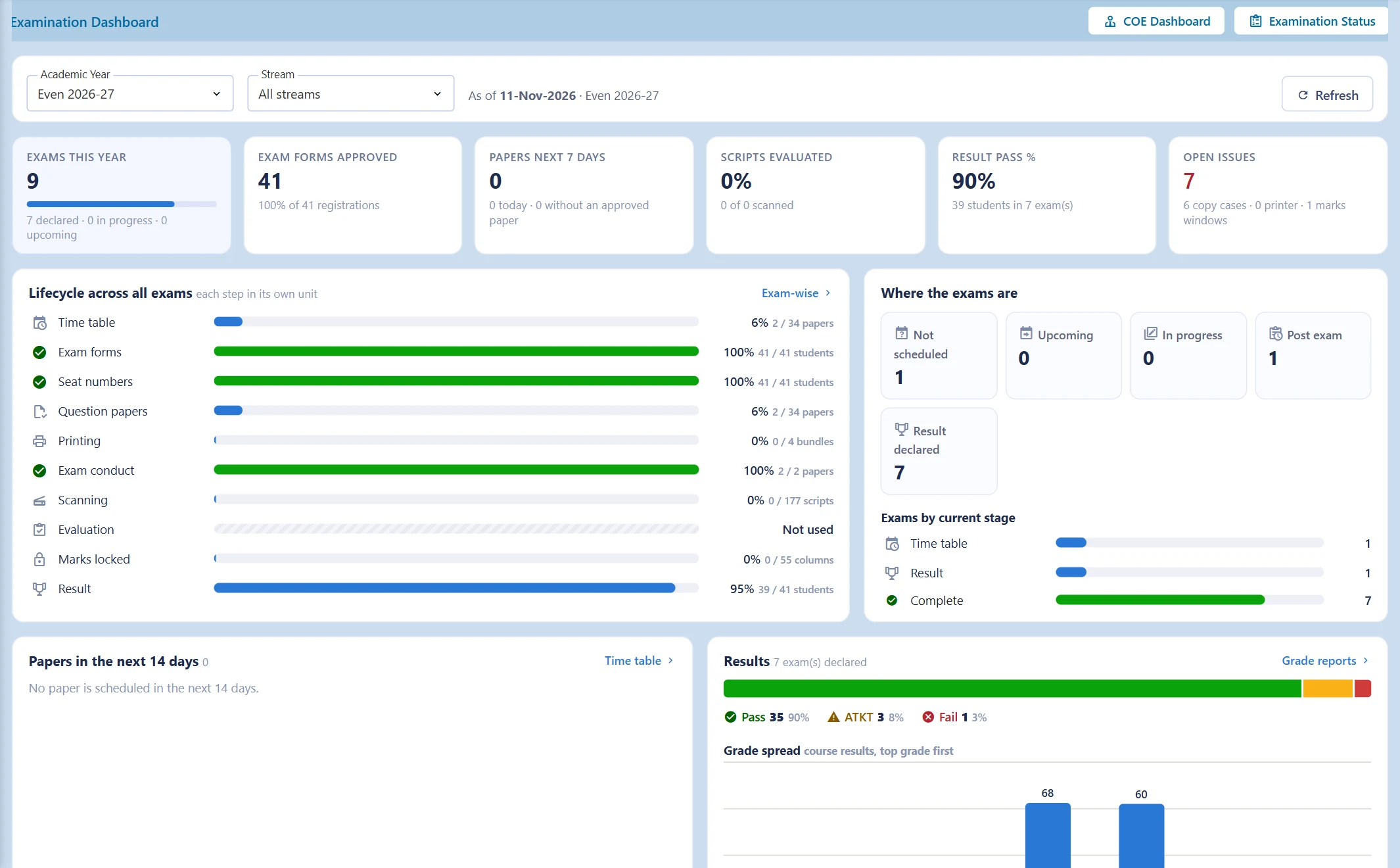
Examinations, digitised end-to-end.
OSM converts physical answer sheets into secure digital scripts for online evaluation, so institutions can manage scanning, evaluation, review and results from one connected platform: Scan, Evaluate, Review, Process, Publish.
- Digital scripts — physical answer sheets become secure digital records
- Online evaluation — assess answer sheets securely from anywhere
- Easy re-evaluation — no need to retrieve physical scripts
- Faster results — automated processing accelerates publication
Move beyond paper-based evaluation.
Traditional evaluation depends on physical scripts, manual processing and delayed results. OSM connects every stage digitally for greater speed, control and transparency.
- 60%+
- Faster result declaration
- 100%
- Digital answer sheets
- Zero
- Physical script movement
- 24×7
- Evaluator access
Everything you need for digital evaluation.
A single platform that takes every answer script from the exam hall to the published result.
Answer Sheet Scanning
Digitise physical answer sheets and store them securely, ready for evaluation.
Digital Script Mapping
Map every script accurately to the right student, subject and question set.
Online Evaluation
Enable evaluators to assess answer sheets online from any approved location.
Review & Re-evaluation
Manage review and re-evaluation requests through a controlled digital workflow.
Automated Results
Automate score calculation and result compilation for faster, error-free processing.
Reports & Analytics
Gain real-time visibility into evaluation progress and assessment outcomes.
The OSM workflow.
Six controlled stages take each script from paper to published result — with nothing lost in transit.
- 01
Scan
Digitise physical answer sheets at high speed.
- 02
Map
Link every script to the correct student and paper.
- 03
Evaluate
Evaluators mark answer sheets online.
- 04
Review
Moderators verify and validate evaluations.
- 05
Process Results
Scores are calculated and compiled automatically.
- 06
Re-evaluate
Review requests are handled entirely digitally.
Complete examination control in one platform.
From scanning answer sheets to evaluation and moderation, manage every stage of the digital examination process.
01 · Scanning — Digitise answer sheets with speed and accuracy
Convert physical answer sheets into secure digital scripts. High-speed scanning eliminates manual handling while preserving the integrity of every examination record.
- High-speed scanning for large volumes of answer sheets
- Secure digital records with controlled access
- Script validation before evaluation begins
- Cloud backup of every digitised examination record
02 · Distribution — Smart script allocation to evaluators
Distribute digital scripts to authorised evaluators based on subject, expertise, workload and examination requirements.
- Evaluator allocation through a controlled workflow
- Smart distribution by subject and workload
- Workload monitoring for balanced allocation
- Controlled access — evaluators see only their assigned scripts
03 · Rubric Marking — Consistent, structured evaluation
Standardise evaluation with predefined marking schemes and digital rubrics that keep marking consistent, accurate and fair.
- Digital rubrics with structured marking criteria
- Standardised marking across multiple evaluators
- Automated score calculation to eliminate totalling errors
- Evaluation insights into marking patterns and performance
04 · Moderation — Review evaluations with full transparency
Built-in moderation and review workflows help examination teams validate evaluations, identify inconsistencies and maintain assessment quality.
- Evaluation review before final result processing
- Quality control to flag inconsistencies
- Digital re-evaluation without physical scripts
- Complete audit trail of every evaluation and moderation action
Connected to your academic ecosystem.
OSM plugs into the systems your institution already uses — and protects examination data at every step.
AI-Powered Evaluation & Analytics
IoT Device Integration
Android & iOS Support
ERP Integration
Secure Cloud Backup
SMS, Email & WhatsApp Alerts
Built for exam data security.
Encrypted Cloud Storage
Role-Based Access Control
Tamper-Proof Records
Automated Cloud Backup
Complete Audit Trail
Why institutions choose OSM.
Paperless
Minimise physical answer sheet handling and storage.
Faster Results
Accelerate evaluation and result processing.
Less Manual Work
Reduce administrative effort across the exam cell.
Complete Transparency
Maintain secure records and full audit trails.
Built for every education institution.
Schools
Colleges
Universities
Examination Bodies
Government Records
Frequently asked questions
Answers to common questions about OSM implementation, security and usage.
Can OSM integrate with our existing ERP or student management system?
+
Yes. OSM integrates with existing academic, ERP and student management systems to create a single, connected examination workflow.
Is evaluator training required to use OSM?
+
OSM is designed to be intuitive and easy to use. We also provide training and onboarding support for administrators and evaluators.
Can evaluators work from outside the campus?
+
Yes. Authorised evaluators can securely access and evaluate digital answer sheets remotely from supported devices and locations.
What happens if a student requests re-evaluation?
+
Re-evaluation is managed directly within the digital workflow, without physically retrieving or re-scanning the original answer sheet.
Is our examination data secure with OSM?
+
Yes. OSM uses encrypted storage, role-based access control, automated secure backups and complete audit trails to protect examination data and evaluation integrity.
Which institutions can use OSM?
+
OSM is suitable for schools, colleges, universities, examination bodies and government records departments of every scale.
AWT Hub Marketplus ERP
For schools, colleges & universities
Run your institution on Marketplus — sign up and start today.
Ready-to-use education ERPs on one login: admissions to results, exams to OSM, library to hostel.
- 24+ Projects
- One Login
- Cloud & Mobile
- Role-based Access
School Management
Admissions, fees, attendance & report cards
College ERP
Courses, students, fees & exams in one place
Examinations
Time tables, marks, results & gazette
OSM
On-screen marking of scanned answer sheets
Faster evaluation. Smarter examination management.
Digitise your complete examination workflow with On-Screen Marking — from answer sheet scanning and online evaluation to review, re-evaluation, results and reporting, on one secure platform.